

Why a Thoughtful Approach Matters
Spending many hours seated compresses lumbar discs, weakens core stabilizers, and raises the risk of back, neck, cardiovascular, and metabolic problems. Switching to a dynamic workstation—alternating sitting, standing, and brief walking every 30‑60 minutes—relieves spinal pressure, boosts calorie burn, and improves circulation, which can cut lower‑back pain by up to 50 % according to recent studies. Physical therapists play a crucial role: they assess individual posture, identify muscle imbalances, and prescribe tailored ergonomic adjustments such as elbow‑height desk setup, monitor at eye level, and anti‑fatigue mats. They also guide patients through micro‑breaks, gentle stretches, and core‑strengthening exercises that support the spine during both sitting and standing. By integrating professional evaluation with gradual exposure to standing, each worker can enjoy the health benefits of movement while avoiding new aches, ultimately fostering a pain‑free, productive workday.
Configuring the Perfect Height & Layout
 Ergonomic calculators let you input height, desk depth and monitor size to receive personalized recommendations for monitor height, keyboard distance and foot‑support options, ensuring a neutral spine and reducing lower‑back load.
Adjustable desks or converters should provide a smooth height range that accommodates both sitting (knees at 90°) and standing postures. The keyboard and mouse stay at elbow height, wrists straight, and items stay within easy reach to avoid excessive reaching. Standing desks allow users to alternate between sitting and standing every 20‑30 minutes, incorporate micro‑breaks and shift weight or walk briefly to maintain circulation.
Balancing Time: Breaks, Intervals, and Daily Targets
 Prolonged sitting compresses lumbar discs and weakens core stabilizers can overload knees, hips and the circulation. research evidence (Family Chiropractic, UCLA Health, Mayo Clinic) shows that alternating posture every 30‑60 minutes reduces spinal pressure and musculoskeletal discomfort. A practical micro‑break schedule is the 20‑8‑2 rule: 20 minutes of sitting, 8 minutes of standing, followed by 2 minutes of light movement (marching, calf raises, neck rolls). Repeat this cycle to keep blood flowing and avoid joint strain. Start with 30‑minute standing blocks and gradually build to a total of 1‑2 hours per day, split into several sessions; many clinicians recommend up to four hours once the body adapts. Proper ergonomics are essential—desk height so elbows are at a 90‑degree angle, monitor top at eye level, feet shoulder‑width apart, knees slightly bent, and an anti‑fatigue mat or supportive shoes. Micro‑breaks every 20‑30 minutes (or the 20‑8‑2 pattern) and brief walks prevent stiffness, protect the lower back, and promote overall wellness.
Operating the Desk: Buttons, Memory, and Balance
 Operating the Desk: Buttons, Memory, and Balance
How to use standing desk buttons
Press the up‑arrow to raise, down‑arrow to lower, each click moving the surface ~1 in. Adjust until elbows at a 90‑degree angle and the monitor top at or slightly below eye level. If your desk has programmable memory keys, hold the desired button until “saved” appears, then tap to recall the saved height. Engage the lock or hold button before typing to prevent accidental movement. For error codes, hold the down‑arrow for five seconds until “RST” flashes and follow reset instructions.
Anti‑fatigue mat, standing desk
Place a ≥¾‑in thick, textured, non‑slip mat under the standing area. The mat cushions feet, knees and lower back, encouraging movement that keeps circulation flowing. Pair it with sit‑stand intervals (15–30 min) to reduce joint strain and fatigue.
Standing desk balance board
A wobble‑type board under the desk activates muscles. Start with 5‑10 min sessions, keeping knees soft and weight distributed. This improves proprioception, ankle mobility and lower‑back stability—consult your therapist before beginning.
Posture, Pain Prevention, and Therapy Support
 Standing desks can improve posture when set up correctly. A 2016 Occupational & Environmental Medicine study showed reduced upper‑back and neck pain with sit‑stand use, and a 2021 health promotion study linked standing intervals to a 42 % lower risk of lower‑back pain.
Do standing desks actually help posture? Yes. Proper ergonomics (monitor at eye level, elbows at 90°) combined with micro‑breaks (20‑30 min) increase craniovertebral angle and reduce neck‑shoulder fatigue.
How to improve posture at a standing desk? Set desk height so forearms are parallel to the floor, keep the monitor 20‑28 inches away at monitor at eye level, engage core, use an anti‑fatigue mat, and shift weight or walk every 20‑30 minutes.
Best standing desk posture tips Maintain an ‘S’‑curve spine, keep hips upright, knees soft, weight evenly distributed, and alternate sitting/standing every 30 minutes with brief stretches.
Standing desk balance board A wobble board adds low‑impact core activation; start with 5‑10 minutes, keep knees bent, and consult a physical therapist for personalized guidance.
Ergonomic Physical Therapy jobs PTs evaluate workstations, design injury‑prevention plans, and may specialize as Certified Ergonomic Assessment Specialists or Occupational Health Practitioners, especially in community settings like La Crosse, WI.
Professional Guidance and Personalized Ergonomics
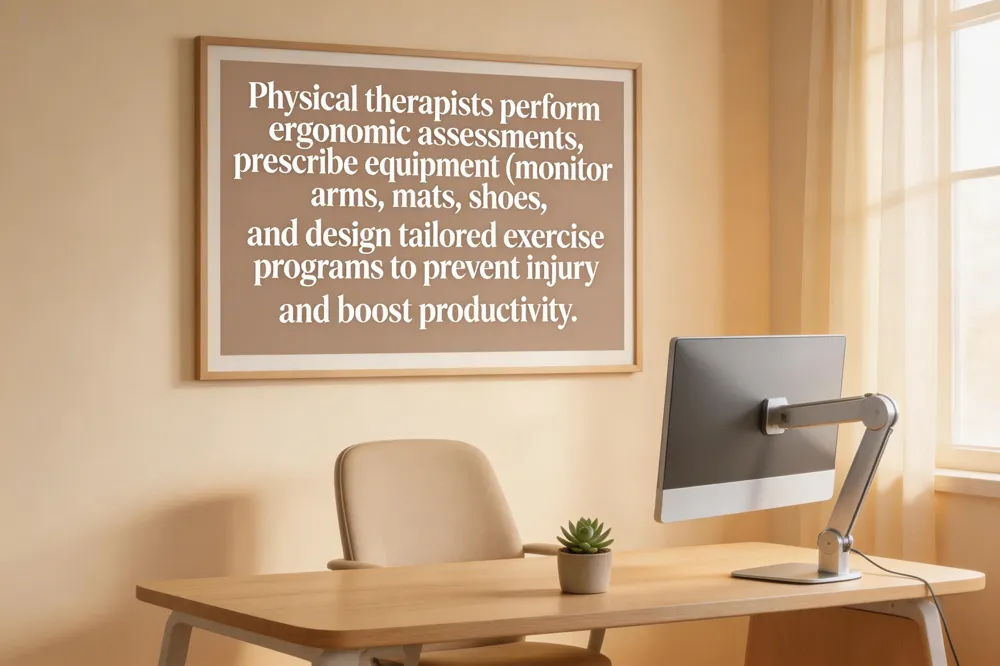 The American Physical Therapy Association (APTA) emphasizes workplace ergonomics as a cornerstone of injury prevention and productivity. APTA recommends using anthropometric data to set workstation heights so elbows stay at a 90‑degree angle, monitors sit at eye level, and weight is evenly distributed on both feet. Regular micro‑breaks every 30–45 minutes, combined with brief stretches, keep circulation flowing and reduce neck, shoulder, and lower‑back strain. Physical therapists conduct individualized ergonomic assessments, observing how you sit, stand, and move at your desk. They identify risk factors—such as prolonged sitting, awkward reaching, or uneven weight distribution—and suggest equipment adjustments like monitor arms, anti‑fatigue mats, and supportive footwear. Based on this evaluation, therapists create tailored exercise programs that strengthen core and glute muscles, improve hip‑flexor flexibility, and teach safe body mechanics for daily tasks. These personalized plans not only alleviate existing discomfort but also build resilience against future injuries. Contact our clinic for a comprehensive ergonomic assessment and a customized movement program designed to keep you pain‑free and productive at work.
Putting It All Together for a Pain‑Free Workday
Key take‑aways – Alternate sitting and standing every 30‑60 minutes, keep elbows at a 90° angle, monitor top at or just below eye level, and stand on an anti‑fatigue mat with supportive shoes. Micro‑breaks for 20‑30 seconds every 20‑30 minutes (stretch, walk, roll ankles) prevent static loading and improve circulation.
Step‑by‑step daily routine
- Start the day – Adjust desk so elbows are 90°; place keyboard at elbow height and monitor arm‑length away.
- Hour 1 – Sit for 45 minutes, stand for 15 minutes while shifting weight every 2 minutes.
- Micro‑break – 30‑second neck roll, shoulder shrug, and calf lift.
- Hour 2 – Stand for 20 minutes, sit for 40 minutes; repeat micro‑breaks.
- Mid‑day – Take a 5‑minute walk, stretch hip flexors and hamstrings.
- Afternoon – Follow the same sit‑stand pattern, ending with a 2‑minute gentle spinal twist before leaving work.
When to seek professional help – Persistent lower‑back, neck, or joint pain despite proper ergonomics; swelling, numbness, or tingling in legs; or any new discomfort after a standing‑desk transition greater Schedule a chiropractic or physical‑therapy assessment to identify misalignments, muscle imbalances, and to receive personalized strengthening and mobility drills.